

Ark Config Sync (ACS) is an advanced tool designed to simplify, optimize, and automate the configuration of plugins for Ark Survival Evolved and Ark Survival Ascended servers.
Built for administrators who need centralized, fast, and efficient management, ACS provides a complete ecosystem to maintain cluster consistency, save time, and prevent manual errors — whether your servers are local or hosted remotely.
Key Features
1. Visual Plugin Configuration System
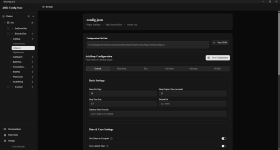
ACS includes a fully visual environment for editing configurations. Thanks to the Plugin Schema System, any developer or admin can create a schema file to give a plugin a complete and user-friendly visual interface — without manually editing JSON. Includes an example schema so anyone can build their own interfaces.
Ideal for servers with many plugins or administrators who want to simplify tasks for their staff team.
2. Plugin Marketplace
Browse, publish, and install community plugins directly from the app:
3. Multi-Map, Multi-Cluster & Remote SFTP Support
Designed to work with single servers, small clusters, large clusters with multiple maps, multiple clusters in the same environment, and remote servers via SSH/SFTP (password or private key authentication).
ACS automatically detects the entire structure and allows you to manage all maps from a single control point — local or remote.
4. Automatic Plugin Synchronization Across Maps
ACS offers intelligent synchronization:
This significantly reduces manual work and ensures full consistency across the cluster.
5. Direct JSON Editing with Invalid File Recovery
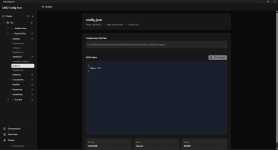
In addition to the visual system, ACS allows direct editing of plugin JSON files with full Monaco Editor support:
6. Configuration Profiles
Save and reuse your plugin configurations:
7. Automation System
Automate your server configuration management:
8. RCON Integration
Control your servers remotely:
9. Discord Webhooks
Get notified about automation events:
10. System Tray Integration
Run in the background without cluttering your taskbar:
11. Integrated Database with Most In-Game Items
ACS includes an internal database with most of the game's items and dinos. This makes configuring plugins that require IDs or blueprints much easier, without having to manually search for them.
12. Automatic Backup System
Before applying any change, ACS generates automatic backups:
You can restore configurations quickly if something goes wrong.
13. System for Storing Reusable Custom Blueprints
You can save custom blueprints inside the program:
Essential for servers with custom economies, shops, or reward systems.
14. Dashboard Page
Get a server overview at a glance:
Licensing
ACS uses an accessible licensing system to guarantee ongoing support, updates, and new features.
Licenses can be acquired at:
 store.berusdev.com
ACS Goal
To provide a professional, stable, and complete tool that allows administrators to:
Final Result
Ark Config Sync is the ultimate solution for managing Ark plugin configurations — more visual, faster, more stable, and fully prepared for clusters of any size.
Built for administrators who need centralized, fast, and efficient management, ACS provides a complete ecosystem to maintain cluster consistency, save time, and prevent manual errors — whether your servers are local or hosted remotely.
Key Features
1. Visual Plugin Configuration System
ACS includes a fully visual environment for editing configurations. Thanks to the Plugin Schema System, any developer or admin can create a schema file to give a plugin a complete and user-friendly visual interface — without manually editing JSON. Includes an example schema so anyone can build their own interfaces.
Ideal for servers with many plugins or administrators who want to simplify tasks for their staff team.
2. Plugin Marketplace
Browse, publish, and install community plugins directly from the app:
- Discover plugins organized by category (General, Structures, Gameplay, Utility, Admin Tools, Economy, Combat)
- Install marketplace plugins with automatic schema detection
- Get notified when installed plugins have new versions available
- Submit your own plugin schemas to the marketplace for community use
3. Multi-Map, Multi-Cluster & Remote SFTP Support
Designed to work with single servers, small clusters, large clusters with multiple maps, multiple clusters in the same environment, and remote servers via SSH/SFTP (password or private key authentication).
ACS automatically detects the entire structure and allows you to manage all maps from a single control point — local or remote.
4. Automatic Plugin Synchronization Across Maps
ACS offers intelligent synchronization:
- If a plugin does not exist on a map, ACS copies it automatically.
- If it does exist, it only updates modified files.
- Ensures the same folder structure across all maps.
- Prevents inconsistencies and common errors caused by missing or outdated configurations.
This significantly reduces manual work and ensures full consistency across the cluster.
5. Direct JSON Editing with Invalid File Recovery
In addition to the visual system, ACS allows direct editing of plugin JSON files with full Monaco Editor support:
- Syntax highlighting, validation, and formatting
- Preserves original key order when saving
- Inline array formatting for cleaner configs
- When a JSON file is broken or malformed, ACS displays the raw file content with inline error indicators and syntax error highlighting so you can fix it directly in the app
- Works for both local clusters and remote SFTP connections
6. Configuration Profiles
Save and reuse your plugin configurations:
- Save any plugin configuration as a reusable profile
- Apply saved profiles to one or multiple maps at once
- Organize all your configurations in one place
- Deploy configurations across your cluster in seconds
7. Automation System
Automate your server configuration management:
- Schedule profile changes to apply automatically at specific times
- One-time, recurring, and cron expression scheduling
- Profile chains: execute multiple profiles in sequence with configurable delays
- Conditional execution based on server state
- Complete execution history with success/failure tracking
- Configurable execution delay (0–60 seconds) to prevent server overload
8. RCON Integration
Control your servers remotely:
- Connect to multiple ARK servers simultaneously
- Execute any RCON command (SaveWorld, Broadcast, etc.)
- Multi-server broadcasting: send commands to all servers at once
- Save frequently used commands for quick access
- Create reusable command templates with placeholders
9. Discord Webhooks
Get notified about automation events:
- Automation notifications when schedules execute
- Success and failure alerts with detailed information
- Configure different webhooks for different events
10. System Tray Integration
Run in the background without cluttering your taskbar:
- Minimize to tray: the app runs in background, scheduler keeps working
- Auto-start on Windows launch
- Quick access: open app or quit from tray menu
- Status tooltip: see the next scheduled task at a glance
11. Integrated Database with Most In-Game Items
ACS includes an internal database with most of the game's items and dinos. This makes configuring plugins that require IDs or blueprints much easier, without having to manually search for them.
12. Automatic Backup System
Before applying any change, ACS generates automatic backups:
- Map-specific backups
- Plugin-specific backups
- Global cluster backups
You can restore configurations quickly if something goes wrong.
13. System for Storing Reusable Custom Blueprints
You can save custom blueprints inside the program:
- To reuse them later
- To apply them across different maps
- To integrate them into visual configurations
- To share them with your staff or technical team
Essential for servers with custom economies, shops, or reward systems.
14. Dashboard Page
Get a server overview at a glance:
- Connection status, plugin counts, and cluster health
- Activity timeline: recent changes, saves, and automation runs
- Quick action shortcuts for common tasks
Licensing
ACS uses an accessible licensing system to guarantee ongoing support, updates, and new features.
Licenses can be acquired at:
BerusDev Solutions Store - Premium Digital Products
Professional digital store for Discord bots, Minecraft plugins, and game modifications.
ACS Goal
To provide a professional, stable, and complete tool that allows administrators to:
- Maintain unified configurations across the entire cluster
- Reduce human error
- Avoid repetitive manual editing
- Increase staff productivity
- Integrate visual systems for any plugin
- Manage large communities or commercial projects with ease
Final Result
Ark Config Sync is the ultimate solution for managing Ark plugin configurations — more visual, faster, more stable, and fully prepared for clusters of any size.